
Online Motor Vehicle Registration Punjab 2026
Have you bought a new car or motorcycle but don’t know how to do online motor vehicle registration in Punjab? You are not alone. Thousands of vehicle owners face the same kind of confusion because they don’t have an idea how to register a car or bike in Punjab. But I’m here to tell you motor registration is easy in Punjab; you just need your vehicle documents.
In this article, we will guide you through registering your vehicle, the required documents, the fee structure, and the complete registration process.
What Is Online Motor Vehicle Registration?
Online motor vehicle registration Vehicle is a legal process after purchasing any vehicle, e.g., car, bike, commercial motor vehicle, truck, rickshaw, etc. In Punjab, Pakistan, the vehicle registration process is managed by the Punjab Excise, Taxation & Narcotics Control Department. Punjab government launched a dedicated vehicle registration portal. All citizens of Punjab can register their vehicles through this platform.
After a successful registration, the department assigns you a unique registration number and issues a Smart Registration Card. After registration of your car or bike you can do verification of your vehicle you can freely drive in any city of Pakistan.
Registration Fee Calculator
PKR 0
Documents Required for online motor vehicle registration
If you are registering a new vehicle purchased from an authorized dealer, you need the following documents for verification.
- Original National Identity Card of the owner
- Copy of the owner’s CNIC
- Original Sales Certificate issued by the manufacturer or dealer
- Original Purchase Invoice
- Form F (Application for Registration)
- Proof of payment of registration fee
- Proof of payment of applicable taxes and duties
- Vehicle inspection report
- Authorization letter (if someone else is submitting the application on your behalf)
Online Motor Vehicle Registration Process in Punjab
You can register your new gadi or used vehicle through three different ways.
Method 1: Online Motor Vehicle Registration Pakistan
For online vehicle registration, follow the steps mentioned below.
Step 1: Visit the Punjab Excise online services portal.
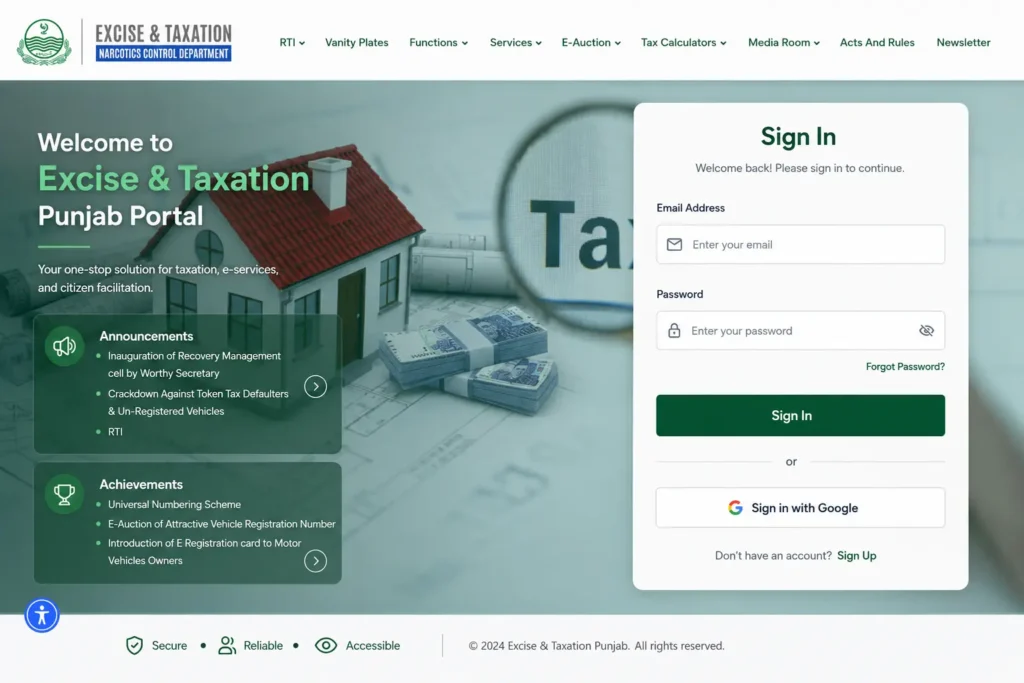
Step 2: Create an account with your email address and log in.
Step 3: Fill in the vehicle registration application.
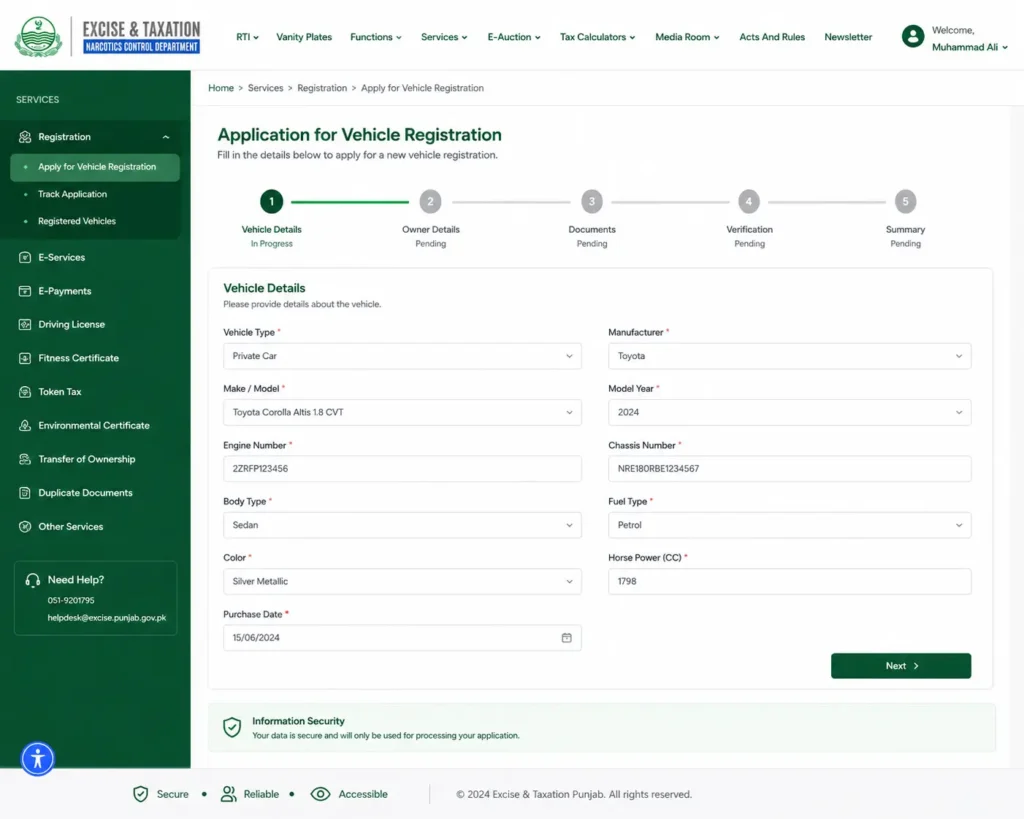
Step 4: Upload the required documents.
Step 5: Pay registration charges online using.
- Debit/Credit Card
- Mobile Banking
- Internet Banking
- ePay Punjab
Step 6: Submit your application online.
Step 7: Now track your application status online.
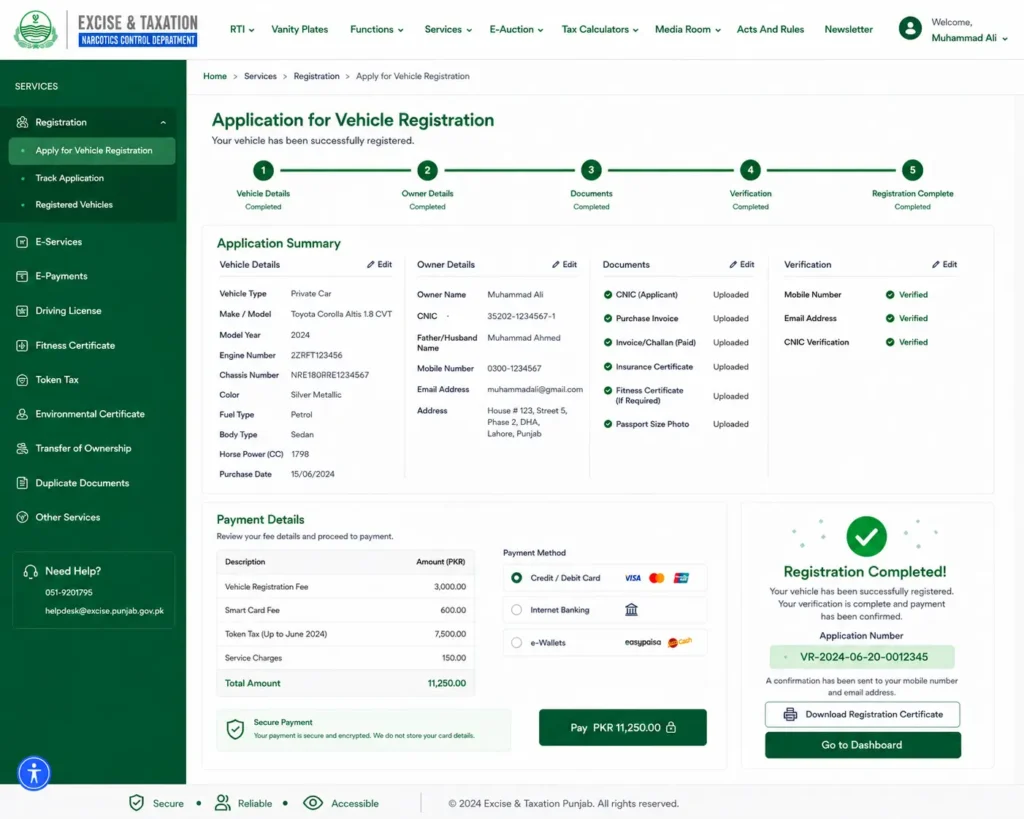
Step 8: After a successful registration, you will receive your registration card and number plates. You can verify regisration via MTMIS Punjab online Vehicle Verification system.
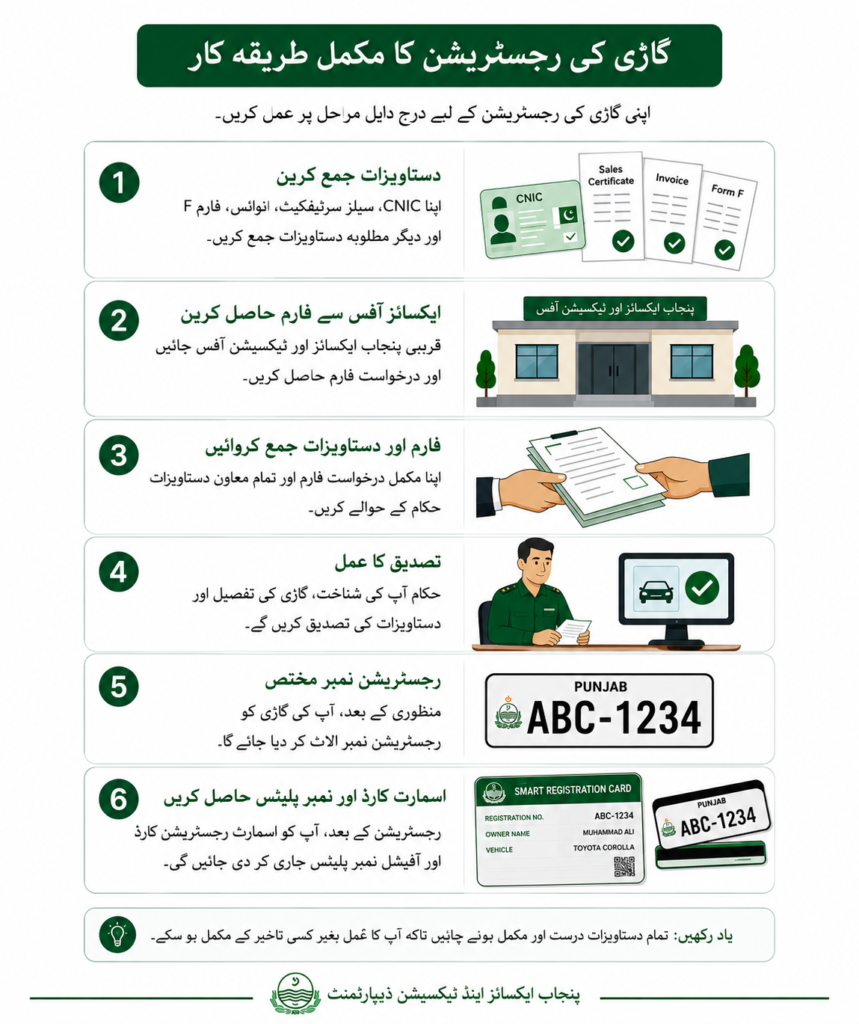
Method 2: Punjab vehicle registration at Excise Office
Vehicle owners who don’t want to use the online registration option can visit the nearby excise and taxation office. If you are one of them, then here is an easy step-by-step guide for you.
Step 1: Collect Your Documents, including your CNIC, Sales Certificate, Invoice, Form F, and any other required documents.
Step 2: Go to your nearest Punjab Excise and Taxation Office and get an application form.
Step 3: Hand over your completed application form and supporting documents.
Step 4: Officials will verify your identity, vehicle details, and submitted documents.
Step 5: After approval, a registration number will be assigned to your vehicle.
Step 6: After registration, you receive your Smart Registration Card and official number plates once processing is complete.
Method 3: Registration of an Imported Vehicle
If you recently purchased an imported vehicle from any dealer, you can register your imported motor car or bike get car smart card.
Step 1: Clear the vehicle through Pakistan Customs.
Step 2: Collect import documents such as Goods Declaration, Bill of Lading, Import Permission, Purchase Invoice, and Customs Clearance Certificate.
Step 3: Pay customs duties and taxes.
Step 4: Visit the Punjab Excise Office.
Step 5: Submit your CNIC , Form F, and payment receipts
Step 6: Pay registration fees.
Step 7: The Excise Department verifies all documents.
Step 8: Receive your Registration Number, Smart Card, and Official Number Plates and token tax status.
Method 4: Register a Vehicle Through e-Khidmat Markaz
You can also register your vehicle at an e-Khidmat Markaz.
Follow these simple steps:
Step 1: Go to your nearest e-Khidmat Markaz and request vehicle registration.
Step 2: Bring your CNIC, Sales Certificate, Invoice, Form F, and other required documents.
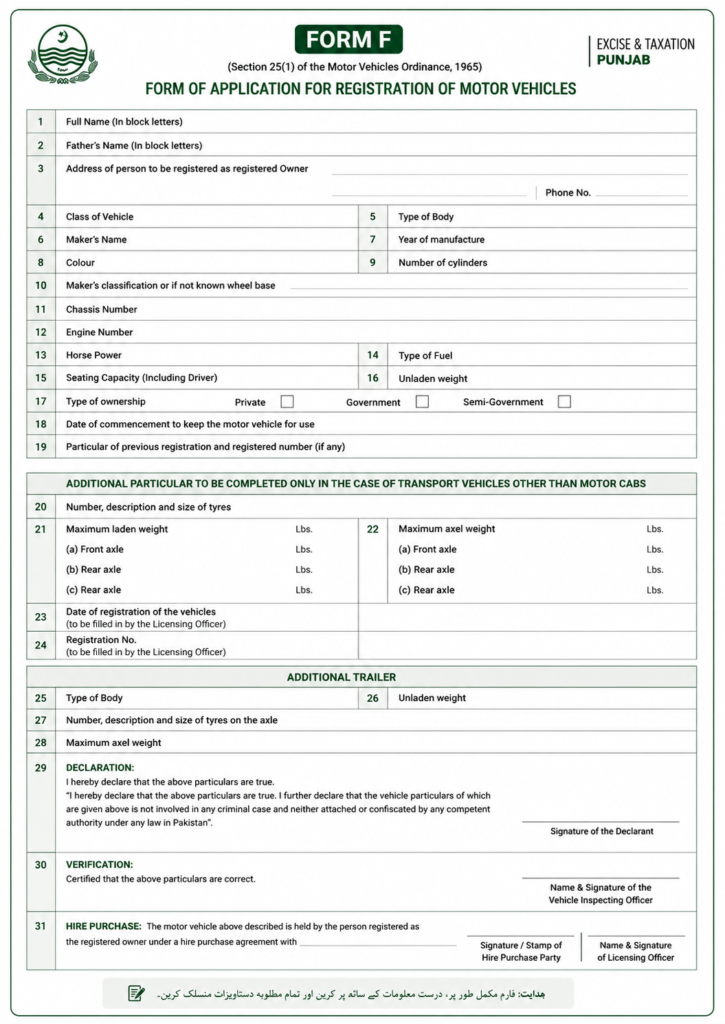
Step 3: Submit Your Documents for verification.
Step 4: Pay the registration fee, Smart Card fee, and other charges.
Step 5: Complete the verification process
Step : After approval, you will receive your registration number.
Car Registration in Punjab
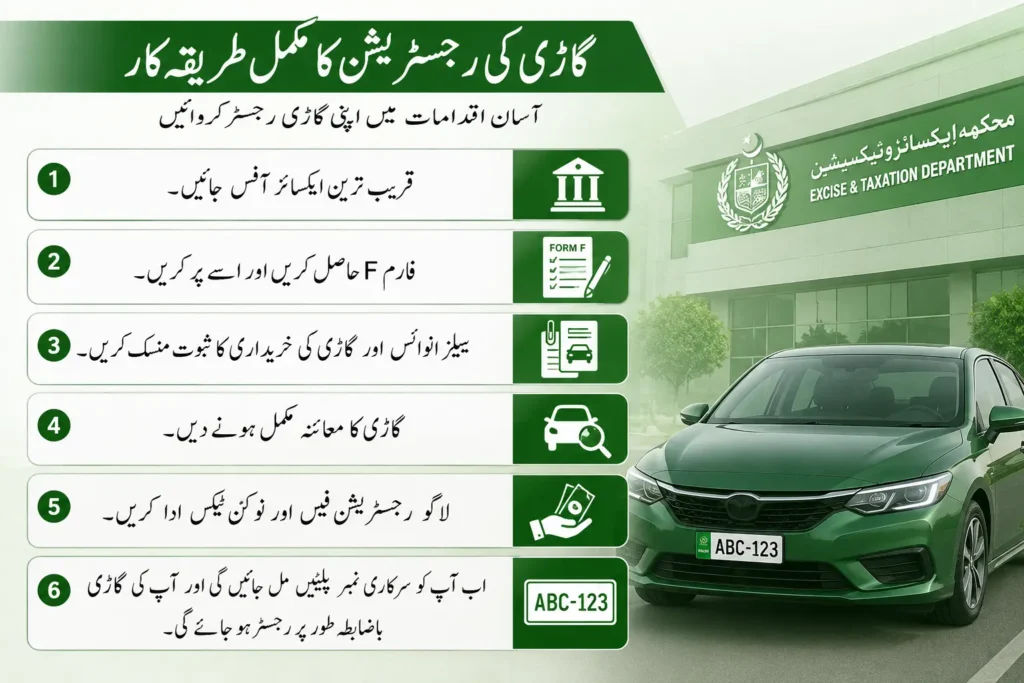
The new or used car registration process is easy in Punjab. You just follow these steps to get ownership of your car.
Step 1: Go to the nearest excise office.
Step 2: Now Get Form F for car registration and fill out the form.
Step 3: Attach the sales invoice and proof of car purchase.
Step 4: Let them complete the vehicle inspection.
Step 5: Pay the applicable registration fee and token tax.
Step 6: Now you can receive your official number plates and your car is officially registered.
Note: use this token tax calculator to check token tax of your car or bike.
Motor Bike Registration in Punjab
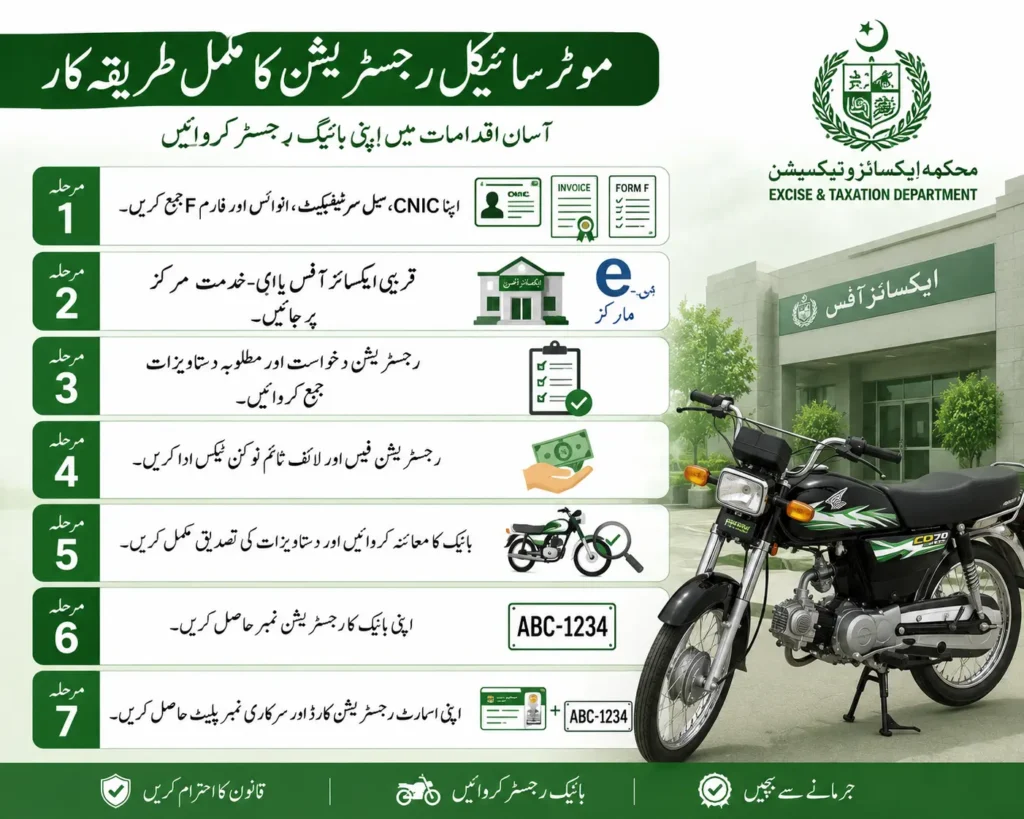
The motorcycle or electric bike registration process is easy.
Step 1: Collect your CNIC, Sale Certificate, Invoice, and Form F
Step 2: Visit the nearest Excise Office or e-Khidmat Markaz.
Step 3: Submit your registration application and required documents.
Step 4: Pay the registration fee and lifetime token tax.
Step 5: Complete the bike inspection and document verification.
Step 6: Receive your bike registration number.
Step 7: Collect your Smart Registration Card and official number plate.
Online Motor Vehicle Registration Fee
| Vehicle Type | Vehicle registration cost |
| Motorcycle / Scooter (Up to 70cc) | PKR 1,000 |
| Motorcycle / Scooter (71–100cc) | PKR 1,500 |
| Motorcycle / Scooter (101–125cc) | PKR 2,000 |
| Motorcycle / Scooter (126–150cc) | PKR 2,500 |
| Motorcycle / Scooter (Above 150cc) | 2% of the vehicle’s value |
| Cars (Up to 1000cc) | 1% of the vehicle’s value |
| Cars (1001–2000cc) | 2% of the vehicle’s value |
| Cars (Above 2000cc) | 4% of the vehicle’s value |
| Tractors | 1% of the vehicle’s value |
| Trucks | 1% of the vehicle’s value |
| Buses | 1% of the vehicle’s value |
| Rickshaws | 1% of the vehicle’s value |
| Taxis | 1% of the vehicle’s value |
| Heavy Machinery (Road Rollers, Excavators, Forklifts, Harvesters, etc.) | PKR 300 |
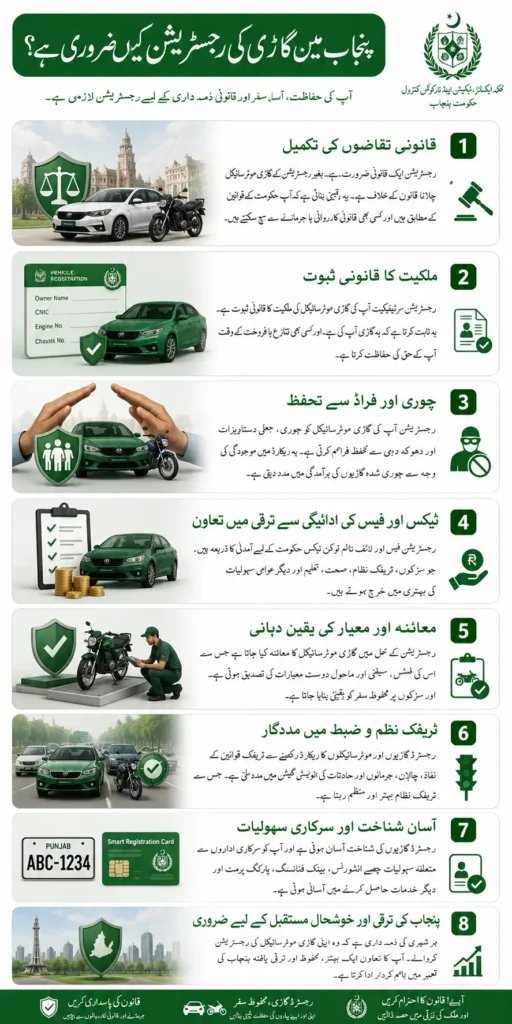
Why is vehicle registration important in Punjab?
- Legal Compliance
Vehicle registration is a legal requirement nowadays; without registration, you can not drive your new or used car or bike on the road publicly.
- Improves Road Safety
Registered vehicles are easier for law enforcement agencies to identify, helping authorities enforce traffic laws, investigate accidents, and recover stolen vehicles.
- Protects Against Fraud
A government-maintained registration record lowers the risk of fraudulent ownership claims of your vehicle. It stops illegal vehicle sales in Punjab and protects you from fraud while buying used cars.
- Help in Easy Vehicle Transfers
When you decide to sell your car or bike, your motor registration record makes the ownership transfer process faster and more secure.
- Enables Tax and Fee Management
Registration allows vehicle owners to pay annual token tax, renew documents, and access other government services without unnecessary complications.
- Supports Insurance Claims
All Insurance companies ask for registration certificates before issuing a car or bike insurance policy or processing claims after an accident.
Vehicle Registration Status Check
Method 1: via the Excise and Taxation Department website
Step 1: Visit the official Excise and Taxation Department website.
Step 2: Go to the Vehicle Registration Status or Track Application section.
Step 3: Enter your Application Number or Tracking ID.
Step 4: Complete the CAPTCHA.
Step 5: Click Search or Check Status.
The portal will display your application’s current status, such as:
- Application Received
- Under Verification
- Payment Confirmed
- Registration Approved
- Registration Certificate Dispatched
- Registration Completed
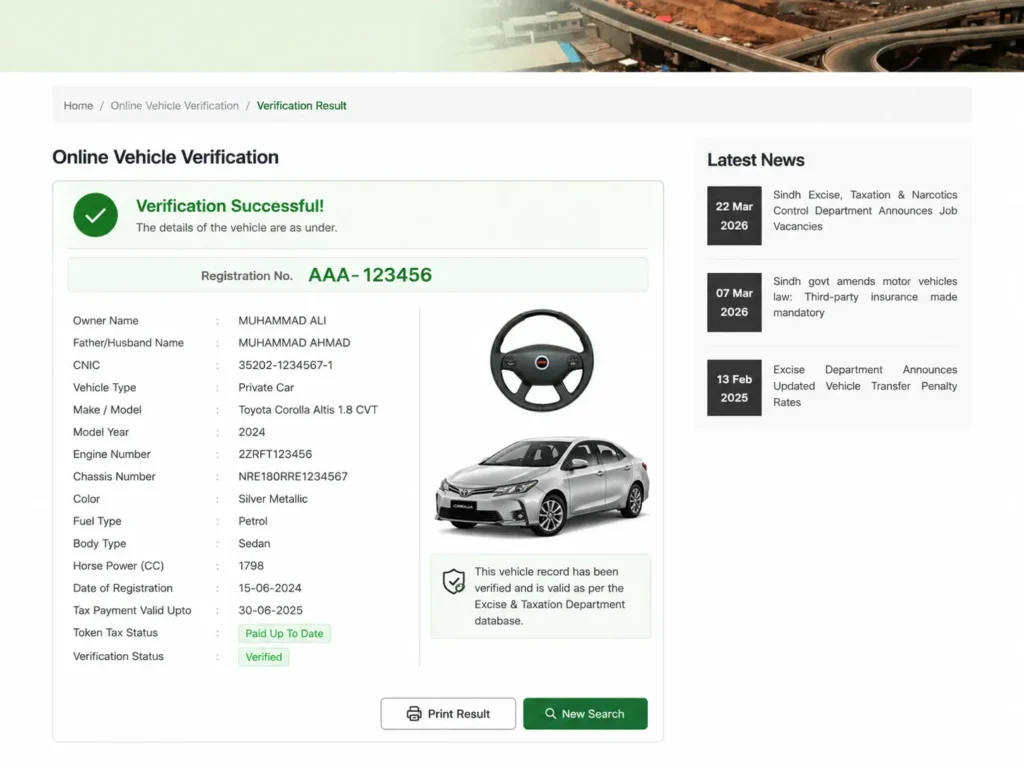
Method 2: Check Vehicle Registration Status Using MTMIS
Step 1: Visit the official Motor Transport Management Information System (MTMIS) website.
Step 2: Enter your Vehicle Registration Number.
Step 3: Click Search or Verify.
View the available vehicle registration details, including:
- Registration status
- Vehicle make and model.
- Registration date
- Engine and chassis details
- Token tax status
- Ownership information
Vehicle re-registration Punjab
Vehicle re-registration is the process of registering your vehicle again with the Excise & Taxation Department, usually when it is transferred from one province to another province. Most people re-register when they want to get a new number. Pay all pending vehicle taxes.
Here is an easy-to-follow guide for you.
Step 1: Get an NOC from the Excise office where the vehicle is currently registered.
Step 2: Collect your Original registration card/smart card, Owner’s CNIC, and NOC
Step 3: Take the vehicle to the Excise office in the new province for inspection.
Step 4: Submit the documents and fill out the re-registration form.
Step 5: Pay the re-registration fee.
Step 6: Receive the new registration number and smart card after approval
Online motor vehicle registration Certificate
A vehicle registration certificate is an official document issued by the transport or motor vehicle authority that proves a vehicle is legally registered. It contains important information.
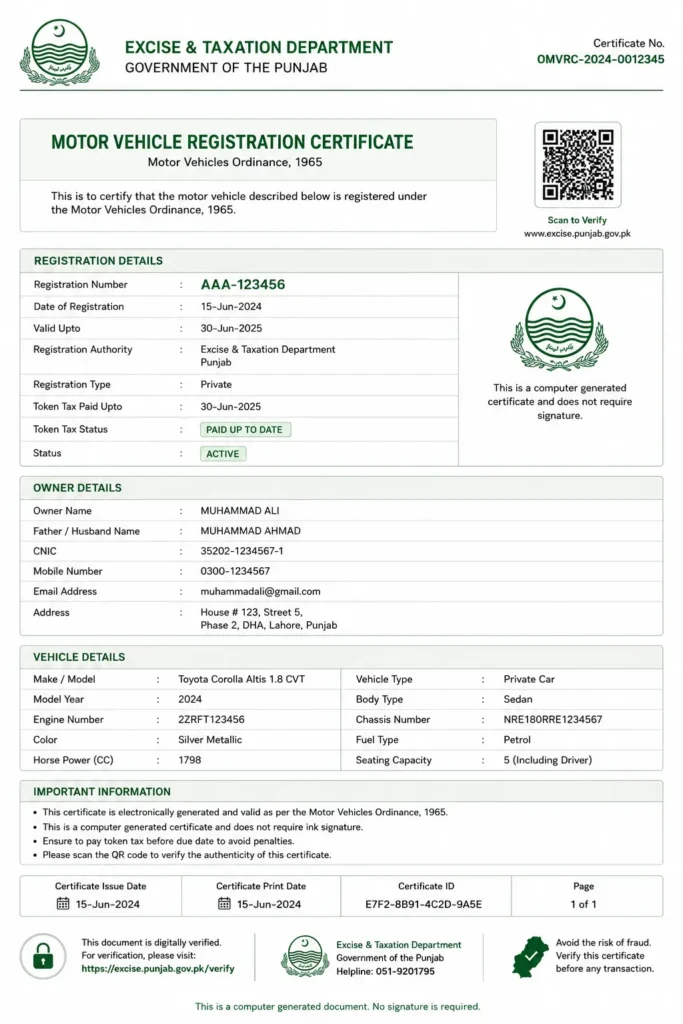
How to get a Vehicle Registration Certificate?
Step 1: Complete the vehicle registration application.
Step 2: Submit the required documents.
Step 3: Pay the applicable registration fee.
Step 4: The transport authority verifies the application and vehicle details.
Step 5: Once approved, the Registration Certificate will be collected or delivered.
How to Get a Duplicate Registration Certificate?
If your registration certificate is lost, stolen, or damaged:
Step 1: First of all, report it to the police
Step 2: Apply for a duplicate registration certificate through the official transport or excise department.
Step 3: Submit the required identity documents.
Step 4: Pay the duplicate certificate fee.
Step 5: Receive the new registration certificate or replacement smart card after verification.