

How to Check Vehicle Smart Card Status in Punjab (2026)
If you have recently registered a car or motorcycle in Punjab, Pakistan, or transferred a vehicle into your name, you may want to know whether your vehicle smart card has been prepared, dispatched, or delivered. The Punjab Excise and Taxation Department provides online services for vehicle verification and smart card or file shipment tracking.
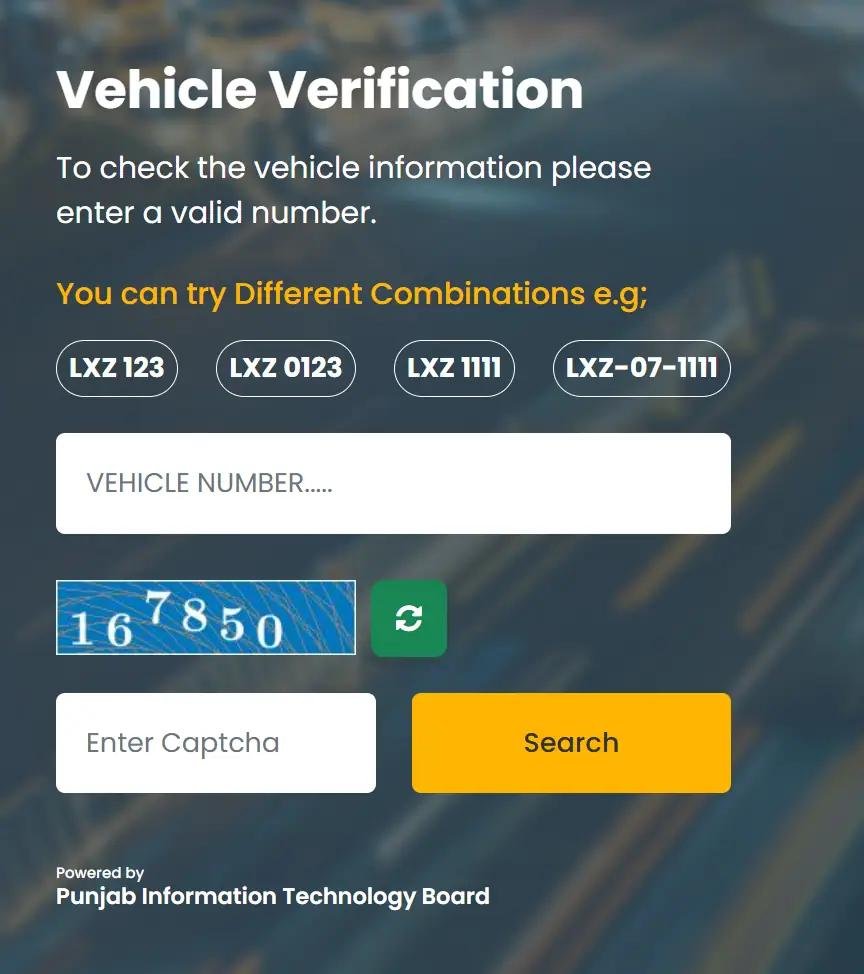
You can begin by visiting the official Punjab Excise website. Its vehicle verification service links to the official MTMIS portal, while its separate shipment-tracking service explains that the vehicle registration number is used as the shipment number.
What Is a Vehicle Smart Card in Punjab?
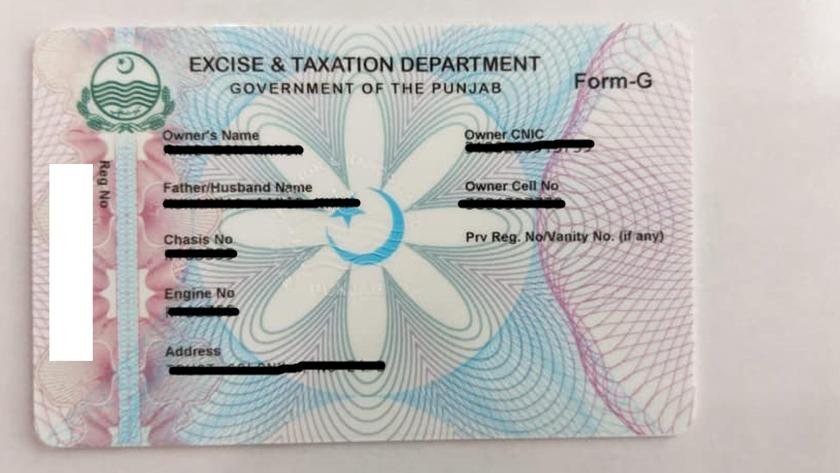
A vehicle smart card is an official registration document associated with a registered car, motorcycle, or other vehicle. It contains important vehicle registration information and helps owners keep their registration documents available in a compact format.
The card is generally issued following a new vehicle registration or an ownership transfer, subject to completion of the relevant requirements. If you have applied for a new card but have not received it, checking the delivery status can help you determine what to do next.
How to Check Vehicle Smart Card Status Online
Follow these steps to check your Punjab vehicle smart card status.
Step 1: Visit the Official Punjab Excise Website
Open the Punjab Excise and Taxation Department website. Find the online services section and look for vehicle registration verification or the card/file shipment-tracking service.
You can also open the official MTMIS Punjab vehicle verification portal.
Step 2: Enter Your Vehicle Registration Number
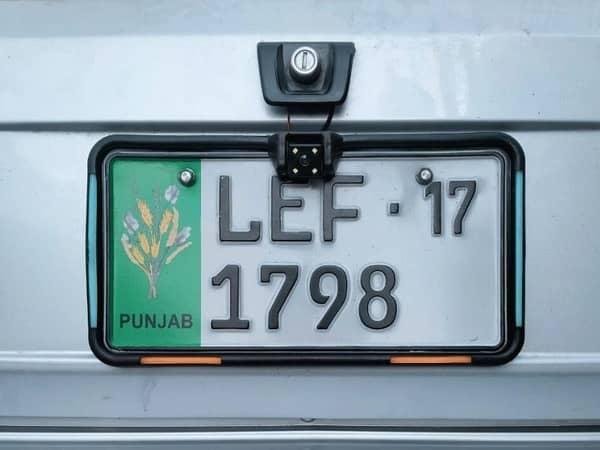
For shipment tracking, use your vehicle’s registration number as instructed by the Excise Department. Enter the number carefully and follow the tracking page’s instructions.
Make sure you use the registration number assigned to your vehicle rather than assuming that an application receipt number will work.
Step 3: Submit the Tracking Information
Submit your details and review any available tracking information. Depending on the service and the stage of processing, the available information may help you establish whether your card or file is being processed or has entered the delivery system.
Important: Vehicle registration verification and physical card delivery tracking are different services. A vehicle appearing in MTMIS does not, by itself, confirm that the physical smart card has been delivered.
Step 4: Check the Delivery Status
Review the result displayed by the official tracking service. If no result appears, check that the registration number is correct and try again later.
The exact status labels and available tracking information can vary. Do not assume that a card has been dispatched or delivered unless the official service confirms it.
How to Track a Smart Card Through Pakistan Post
If the Excise Department has sent your smart card through Pakistan Post, you can check the postal tracking service.
According to the Punjab Excise Department’s tracking instructions, the vehicle registration number is used as the shipment number for its return shipment tracking service.
If the postal website cannot find your shipment, verify the registration number and check whether the department has actually handed the card over for delivery.
How to Check Vehicle Registration Through MTMIS Punjab
You can also verify your vehicle’s registration record online. This is particularly useful if you have recently purchased a used car or motorcycle.
-
Visit the official MTMIS Punjab portal.
-
Enter the requested vehicle details.
-
Complete any verification or security fields shown on the page.
-
Submit the form.
-
Review the available registration information and compare it with your documents.
The Punjab Excise Department officially provides an online vehicle verification service through MTMIS.
Remember that MTMIS registration verification is not the same as tracking a physical smart card. Use the appropriate service for your particular question.
What to Do If Your Vehicle Smart Card Has Not Arrived?
Sometimes a smart card takes longer to arrive after vehicle registration or ownership transfer. Delays may occur because of processing, printing, dispatch, or delivery issues.
If your card has not arrived, take the following steps:
-
Verify your registration: Check whether the vehicle’s registration record appears correctly in MTMIS Punjab.
-
Track the shipment: Use the official tracking service and your vehicle registration number where required.
-
Check with the relevant office: If tracking information is unavailable or has not changed, contact the Excise office or dealer that handled your registration or transfer.
-
Confirm your delivery address: Make sure the address provided during the application process is correct.
-
Keep your receipt: Retain your registration or transfer receipt and any application reference details in case the department requests them.
Avoid submitting another application or paying a second fee before confirming the status of your existing application.
Can You Download a Vehicle Smart Card Online?
Punjab provides an e-Registration Card service through its official Excise website. Availability and the steps required to access an electronic registration card may depend on the vehicle record and the service currently offered.
Visit the official Punjab Excise website and look for the e-Registration Card service.
An electronic registration card and a physical smart card are not necessarily the same thing. If you need a document for an official purpose, confirm that the electronic version is accepted for that purpose rather than assuming that a screenshot of the MTMIS record replaces the physical card.
Common Problems When Checking Smart Card Status
| Problem | What you can do |
|---|---|
| Registration number is not recognised | Check the number against your registration papers and try the format requested by the portal. |
| No shipment information appears | Confirm whether the card has been dispatched and try the official postal tracking service. |
| Vehicle details are incorrect | Contact the relevant Punjab Excise office to request verification or correction. |
| Card has not arrived | Check the delivery status and contact the responsible office or dealer. |
| Website is unavailable | Try again later or access the service through the official Excise website. |
| Card is marked delivered but is missing | Contact the delivery service and the Excise office for assistance. |
Why Is Vehicle Smart Card Verification Important?
Checking your smart card and registration details helps you stay informed about your vehicle documentation. It is especially useful after buying a used vehicle, registering a new motorcycle, or completing an ownership transfer.
Before purchasing a used vehicle, compare the registration record with the registration papers and the identifying numbers on the vehicle. If any details differ, ask the seller to resolve the discrepancy with the relevant authority before completing the purchase.
For additional vehicle-related guidance, visit MTMIS Punjab, where you can publish related guides covering vehicle verification, registration checks, e-challan information, and smart card services.
Frequently Asked Questions (FAQs)
1. How can I check my vehicle smart card status in Punjab?
Visit the official Punjab Excise website and use the relevant card/file tracking service. Follow its instructions and use your vehicle registration number where required.
2. Can I track my Punjab smart card using my vehicle number?
Yes. The Punjab Excise Department’s return shipment tracking instructions specify the vehicle registration number as the shipment number. The result depends on whether tracking information is available for your card.
3. How can I check whether my vehicle is registered in Punjab?
Use the official MTMIS Punjab portal and enter the information requested by the website to check the available registration record.
4. What should I do if my smart card tracking result is unavailable?
Confirm your registration number, check the official tracking service again later, and contact the Excise office or dealer handling your application if the problem continues.
5. Can I check my motorcycle smart card status online?
You can use the same Punjab Excise services for motorcycles registered in Punjab. Follow the tracking instructions and enter the motorcycle registration number in the requested format.
6. Is MTMIS Punjab the official vehicle verification website?
The Punjab Excise Department links to mtmis.excise.punjab.gov.pk for online vehicle verification. For safety, access the service through the official government website.
7. What is the difference between a smart card and vehicle verification?
A smart card is a registration document, whereas online vehicle verification displays registration information available in the official database. A successful verification does not necessarily confirm the delivery of the physical card.
Conclusion
Checking your vehicle smart card status in Punjab is a useful way to follow up after registration or ownership transfer. Start with the official Punjab Excise website, choose the appropriate tracking service, and use your vehicle registration number according to the instructions. If the card has not arrived or the tracking result is unclear, contact the relevant Excise office or dealer for assistance.
For more vehicle registration guides and online verification information, visit MTMIS Punjab

One Comment